01
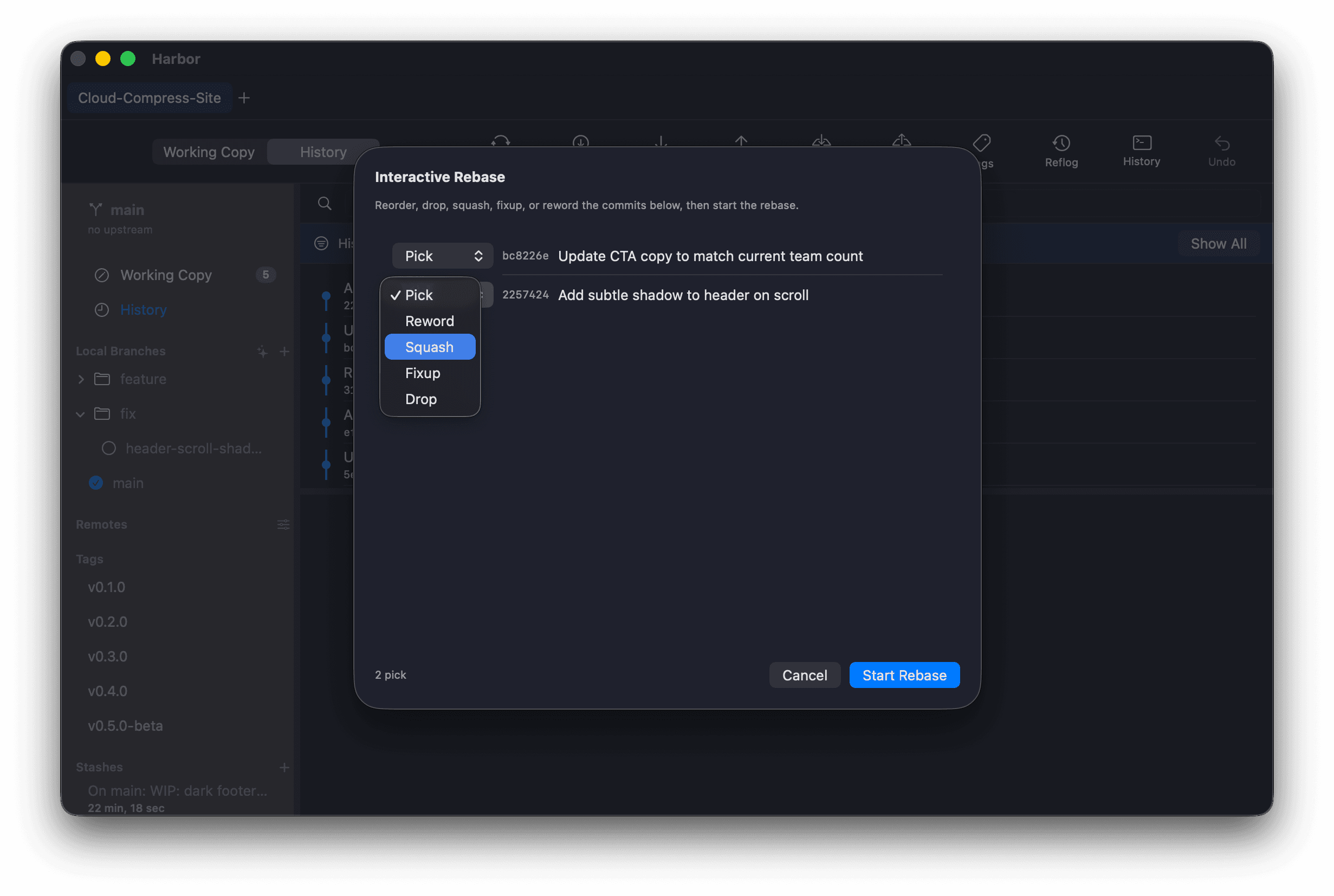
Guided interactive rebase
Reorder, squash, edit, and drop commits from a clear, direct interface. The expert-only operation, made legible.
Harbor is a native macOS Git client that makes the operations other tools hide or leave raw, like interactive rebase, conflict resolution, safe resets, and hunk staging, approachable and legible.
Harbor drives the actual git binary. There's no proprietary reimplementation and no lock-in, so you can always trust and reproduce what it does.
Built in Swift and SwiftUI. Fast, lightweight, and idiomatic macOS, not a wrapped web app.
Destructive and advanced operations are surfaced with clear consequences and previews before anything happens.
Every operation other clients hide or leave raw, presented with guardrails and clear consequences.
Reorder, squash, edit, and drop commits from a clear, direct interface. The expert-only operation, made legible.
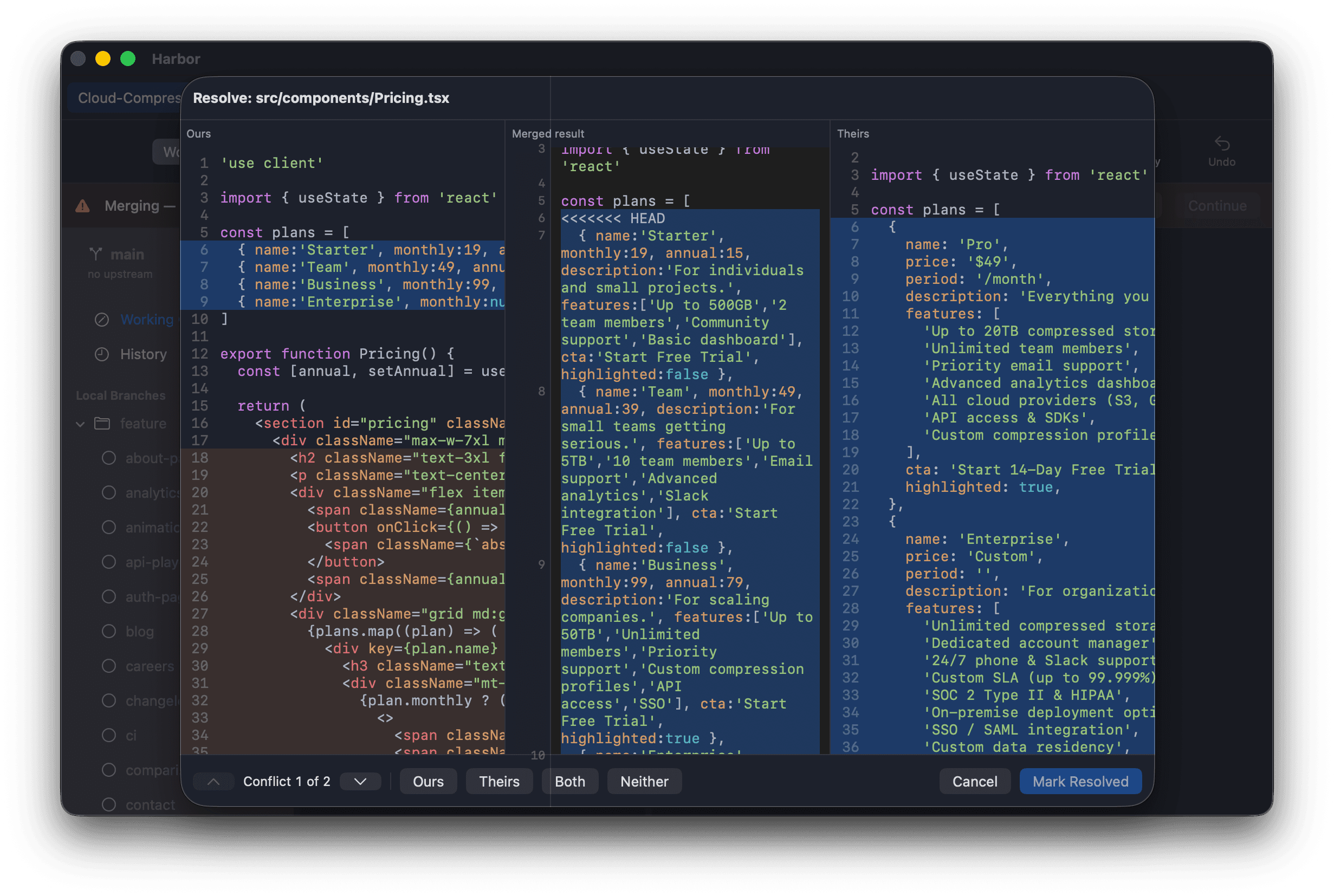
When a merge, rebase, or cherry-pick stops on a conflict, Harbor shows exactly which files are stuck and lets you continue, abort, or skip.
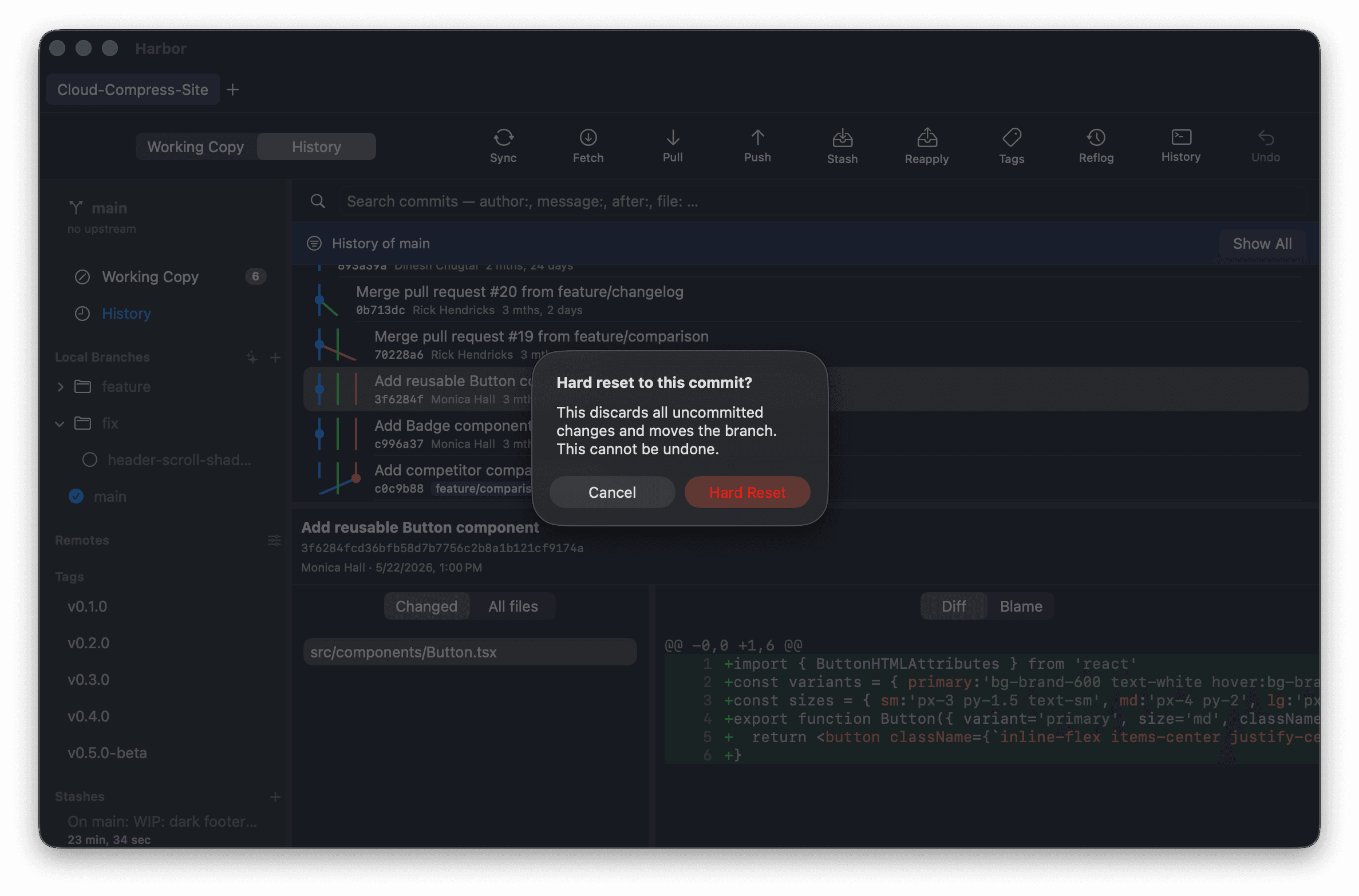
Reset, clean, and discard show you the consequences, including file lists, previews, and diffs, before you commit to anything irreversible.
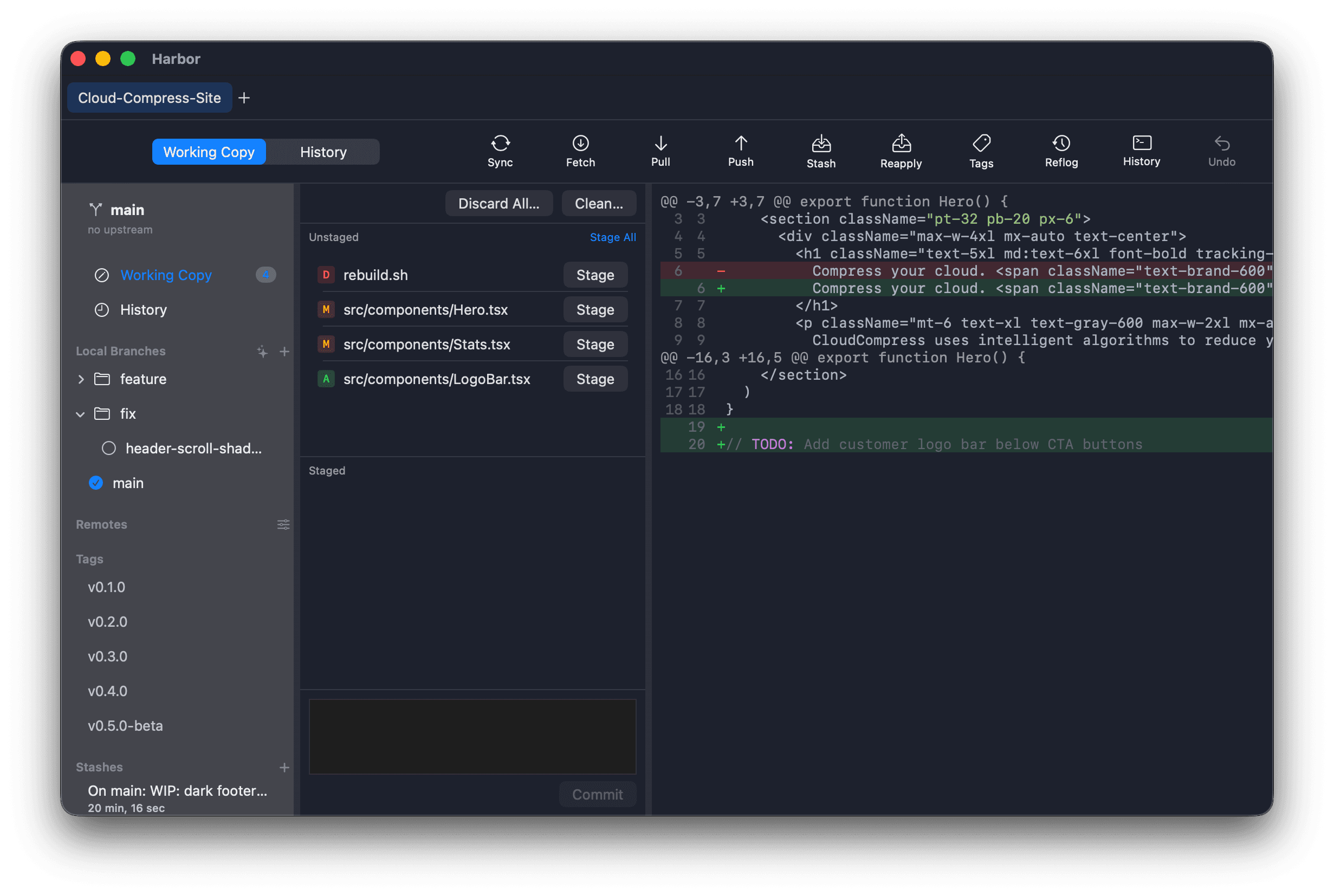
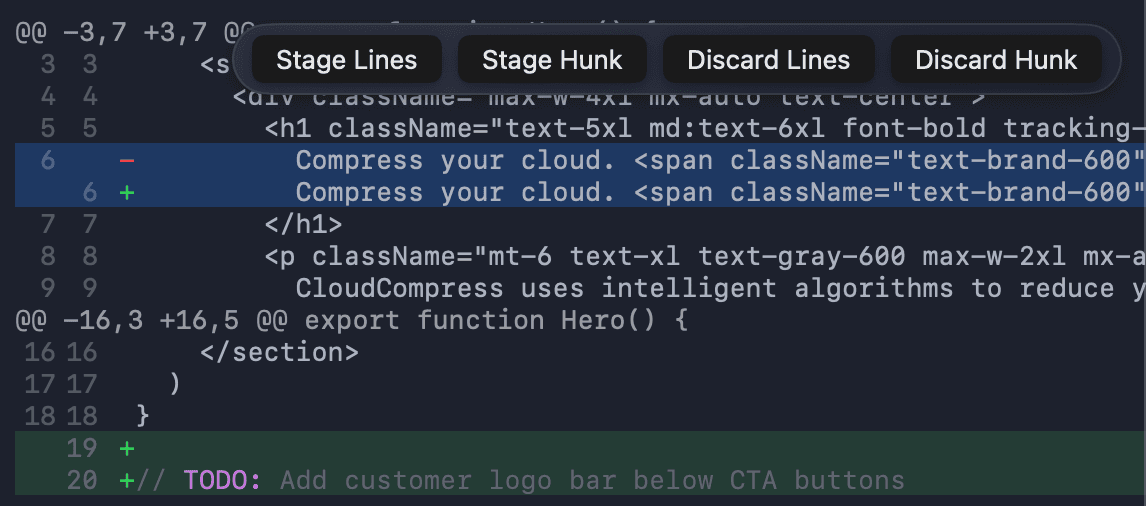
Stage a single hunk, a whole file, or everything, with precise control over exactly what goes into each commit.
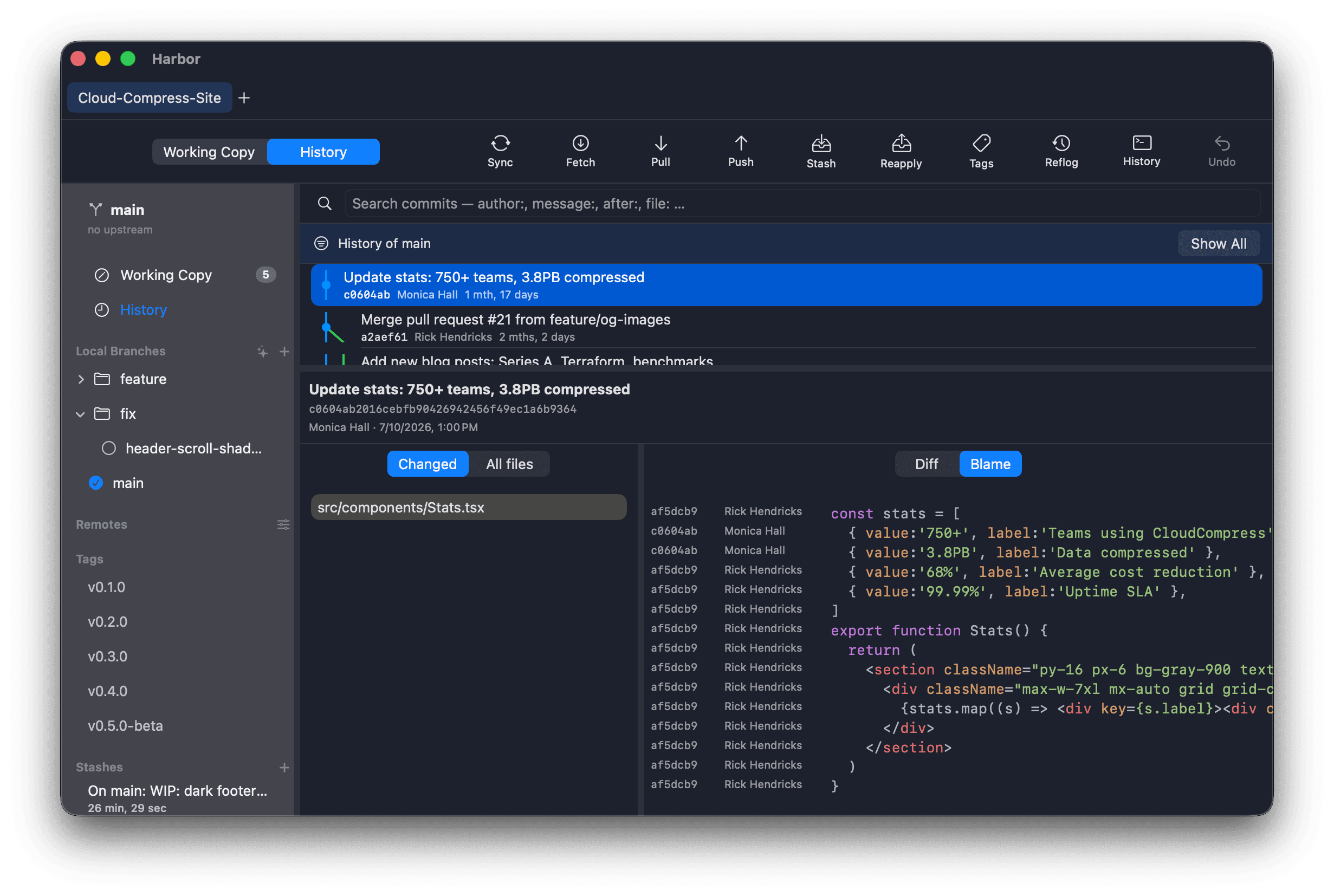
A visual commit graph, line-level blame, and full file history make reading and understanding history a first-class job.
Fetch, pull (with a rebase option), and push with upstream tracking. Connect GitHub and GitLab, including self-hosted instances, to browse repos and pull requests.
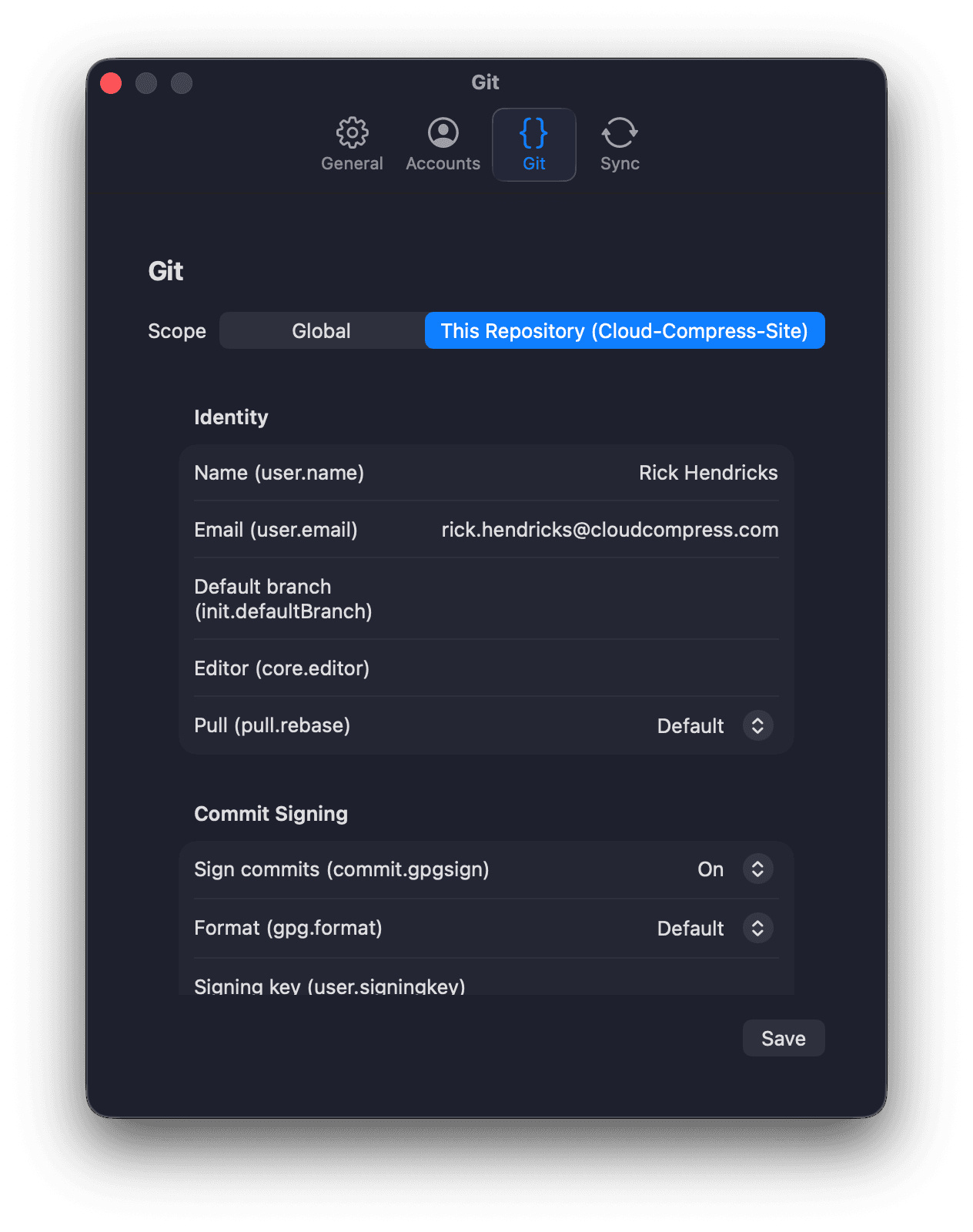
Harbor drives the actual git binary installed on your Mac and never reimplements Git. Everything it does is reproducible on the command line, so you can always trust, verify, and walk away. Your history is yours.
Harbor is a one time purchase, not a subscription. Every license includes a year of updates and support. If a major version ships after that, it is sold as a new perpetual license: upgrade when its features are worth it to you, or stay on the version you already own for as long as you like.
Yes. Harbor wraps the git binary installed on your Mac. It never reimplements Git, so its behavior tracks real Git and you can always reproduce it on the command line.
macOS only. Harbor is a native Swift/SwiftUI app and is not cross-platform.
Harbor is built for developers who also evaluate Tower, Fork, GitHub Desktop, and Sourcetree. Its focus is making advanced, risky operations safe and understandable rather than hiding them.
Harbor is a one time purchase, not a subscription. Every license includes a year of updates and support. When a major version ships after that, it's sold as a new perpetual license, so you can upgrade if you want the new features or keep using the version you already own indefinitely.
Harbor is in active development. Add your email below and we'll let you know about availability and updates. No spam.
Add your email for occasional product updates. Double opt-in, no spam, unsubscribe anytime.